Core Web Vitals and Why It Matters
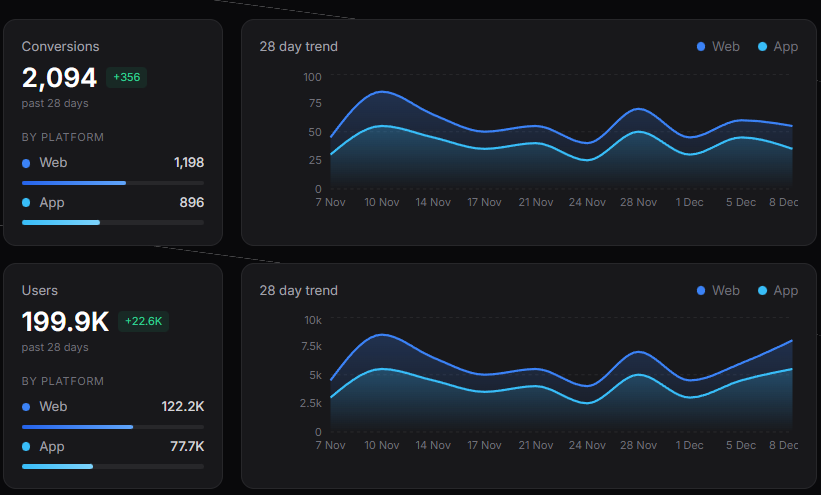
Every second your site takes to load costs you money. Not hypothetically, but actual revenue walking out the door.
The Real Cost of Slow Websites
Think about the last time you waited more than three seconds for a website to load. You probably didn't wait at all. You hit back and went somewhere else. That's exactly what 53% of mobile users do when a site takes too long.
Amazon figured out that every 100 milliseconds of delay costs them 1% in revenue.
Google found that an extra half-second in search results dropped traffic by 20%.
Your competitors who load faster are stealing your customers.
What Google Actually Measures
Google cares about three specific metrics called Core Web Vitals. They sound technical, but they're just measuring what users actually experience.
Largest Contentful Paint is how long it takes for the main content to show up. You want this under 2.5 seconds. Any longer and people start wondering if your site is broken.
First Input Delay measures responsiveness. When someone clicks a button, does it react immediately or feel laggy?
Cumulative Layout Shift tracks those moments when you're about to click something and the page jumps because an image loaded. Keep this under 0.1 and your users won't rage-quit.
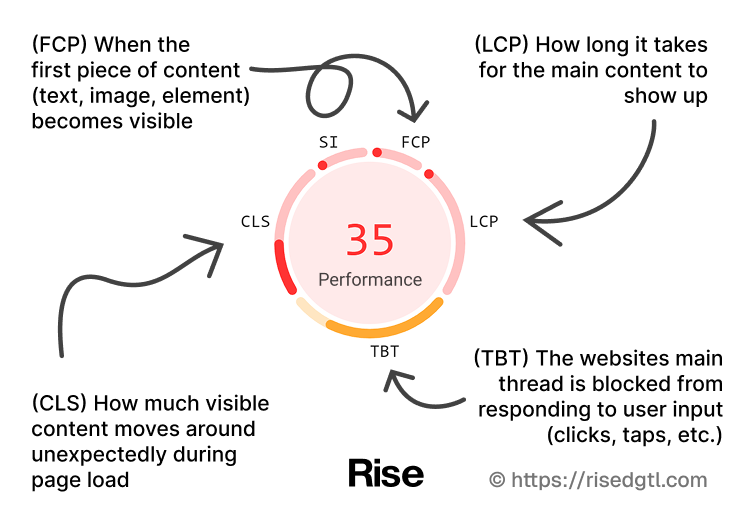
These numbers aren't arbitrary. Hit these targets and your site will feel fast.
Miss them and it won't matter how good your content is.
Images Destroy Your Loading Times
Images are usually the biggest problem. A single unoptimized hero image can weigh more than your entire JavaScript bundle.
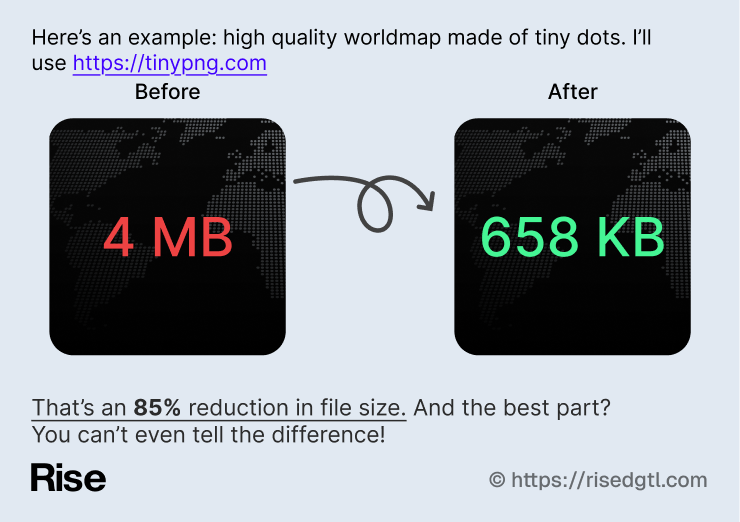
Modern formats like WebP and AVIF cut file sizes by 30-50% with zero visible quality loss.
If you're still serving regular JPEGs and PNGs everywhere, you're making your site slower for no reason.
Lazy loading is another common problem. Why load images that users haven't scrolled to yet?
Load what's visible first, then load the rest as they scroll. Most modern frameworks handle this automatically. WordPress has plugins like Lazy Load by WP Rocket or a3 Lazy Load. Next.js has it built into the Image component.
Most images look identical at 80-85% quality compared to 100%, but the file size difference is massive. Run your images through compression before uploading them.
Caching Content
Caching means users don't have to download the same files over and over. Set it up once and it keeps working forever.
Browser caching stores static files like images, CSS, and JavaScript locally on users' devices. When they come back to your site, those files load instantly because they're already there. Static assets can cache for months since they rarely change.
Content Delivery Networks take this further by storing your content on servers all over the world. Instead of every user hitting your single server, they get content from whichever server is closest to them.
WordPress Performance
Most websites run on WordPress. If you're one of them, performance can be tricky because WordPress wasn't built for speed out of the box.
The biggest issue with WordPress sites is bloat. Every plugin you install adds more code. Every theme comes with features you'll never use.
Disable plugins you're not actively using. Switch to a lightweight theme like GeneratePress or Astra instead of page builders that load massive frameworks. Your site doesn't need a theme that can do everything when you only use 10% of its features.
Caching plugins are essential for WordPress. WP Rocket is the best if you can afford it. Free alternatives like W3 Total Cache or WP Super Cache work too, but they're harder to configure. These plugins generate static HTML files instead of processing PHP on every page load.
Database optimization matters more on WordPress than anywhere else. Your database accumulates post revisions, spam comments, and data over time. Use WP-Optimize to clean it up monthly. A bloated database slows down every query your site makes.
Image optimization is where most WordPress sites fail hardest.
Do This
- Enable browser caching with long expiration times for static assets
- Implement lazy loading for images below the header section
- Test your site after any updates to catch performance issues before they become problems
- Use Content Delivery Networks to serve images, CSS, and JavaScript globally
- Remember that a slow site is never an realistic option
Track Performance
You need to measure performance regularly. Sites get slower over time as you add features, update dependencies, and load more content.
What was fast six months ago might be crawling now.
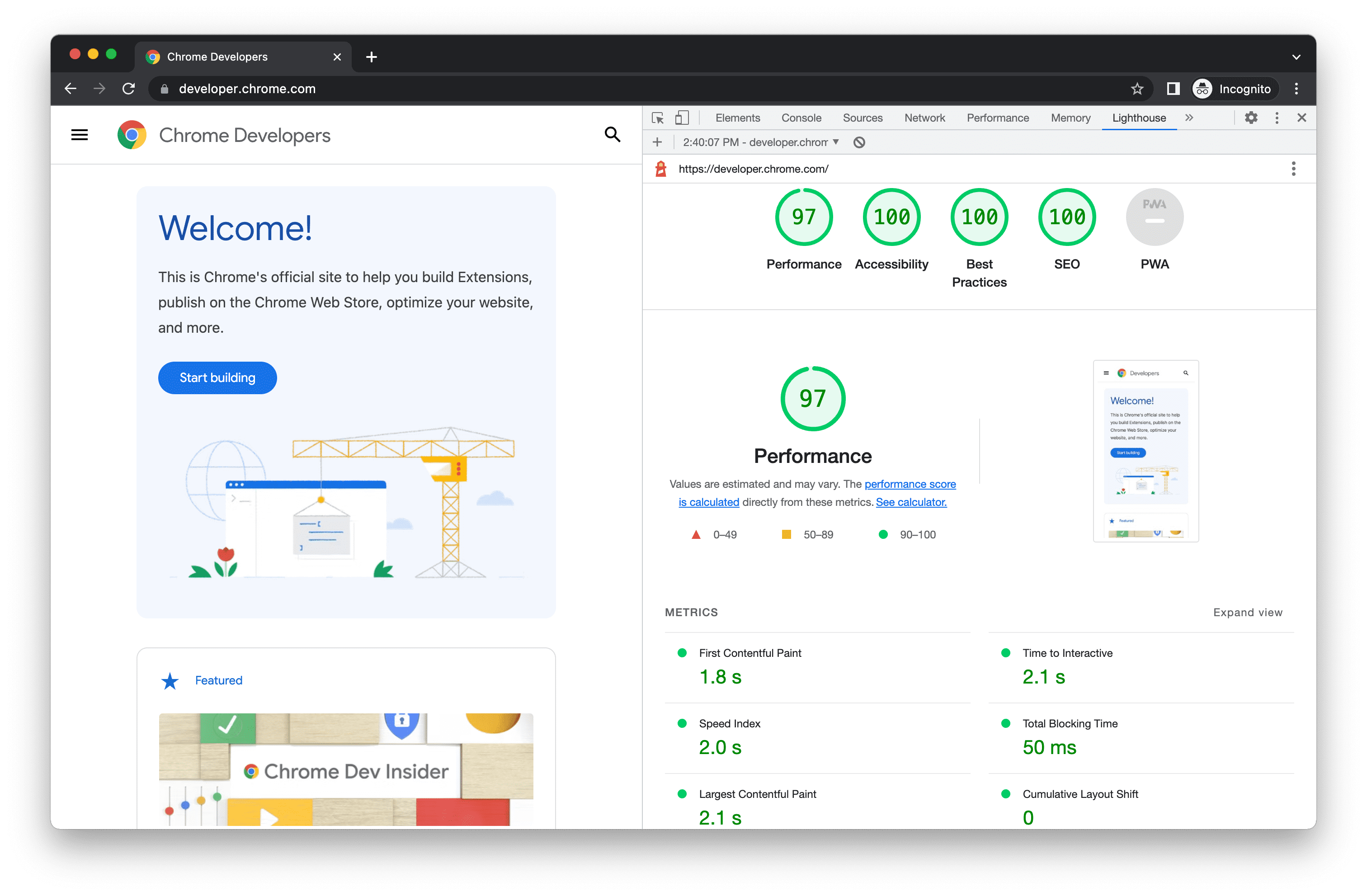
Google PageSpeed Insights gives you a comprehensive breakdown for free.
Lighthouse is built right into Chrome DevTools if you want quick checks while developing.
WebPageTest shows detailed waterfall charts so you can see exactly what's slowing you down.
Start Today
Performance isn't something you fix once and forget. It's an ongoing process. But the wins are immediate and measurable.
Start with images and caching. These two changes alone will probably cut your load time in half. Then tackle Core Web Vitals one by one. Monitor your progress with PageSpeed Insights.
Fast sites rank higher, convert better, and make more money. Your site should be one of them.
If you need help getting there, we can help.